Making Updates
I will use Google Chrome as an example.
Assuming it's outdated and the message appears when opening Chrome.
Download the official .deb file (the .deb file is easier to work with than the .rpm file):
Go to the directory where you downloaded the file and generate the hash:
Exit:
4dbd78d88a1e69a6036ba8e8adb99fca808790e23b2ea92d8610494ad7f57328 google-chrome-stable_current_amd64.debSee the new program version:
Exit:
Version: 146.0.7680.177-1Update the system and install what's needed:
Clone the Void git repository (you will only need to do this once):
Enter the created directory and prepare the environment:
Edit the template:
# Template file for 'google-chrome'
pkgname=google-chrome
version=146.0.7680.164
revision=1
_channel=stable
archs="x86_64"
hostmakedepends="python3-html2text python3-setuptools"
depends="gtk+3"
short_desc="Attempt at creating a safer, faster, and more stable browser"
maintainer="Michael Aldridge"
license="custom:chrome"
homepage="https://www.google.com/chrome/"
distfiles="https://dl.google.com/linux/chrome/deb/pool/main/g/google-chrome-stable/google-chrome-${_channel}_${version}-1_amd64.deb"
checksum=f6dd8715a3f10f0cd37b2e7b8831a96359ea856c747da222d3b2623ae651b374
...Version: Change to the version you discovered (e.g., 146.0.7680.177-1).
Revision: Reset to 1.
checksum: Replace with the hash you generated in Step 2.
Save and exit.
Authorize (Chrome is a proprietary package) and generate the package:
Exit:
If a hash error occurs, xbps-src already provides the solution, as it compares the reported hash with the current one. This is because Google updates the Chrome binary very frequently (sometimes several times a day for security fixes), which alters the file's hash (SHA256), even if the version number of the downloaded .deb package appears to be the same.
=> ERROR: SHA256 mismatch for 'google-chrome-stable_146.0.7680.164-1_amd64.deb:'f6dd8715a3f10f0cd37b2e7b8831a96359ea856c747da222d3b2623ae651b374=> ERROR: google-chrome-146.0.7680.164_1: couldn't verify distfiles, exiting...Copy the message hash, reopen the template, and paste it into the file.
Execute:
Install by updating:
Since this change was made manually only in the local repository (void-packages), the git pull command may in the future report a conflict when the Void maintainers update Chrome on their GitHub.
If this happens, resolve it quickly by clearing and updating your local changes:
In Void Linux , the template file is not just a version record; it's the roadmap for building the package.
When you change the "version" and "checksum" in the template, xbps-src does the following "behind the scenes":
- Dynamic download: it uses the "version" variable to construct the download URL (e.g., https://google.com{version}_amd64.deb ).
- Binary swap: it discards the old .deb file, downloads the new .deb file from Google corresponding to the version you entered, and checks if the checksum matches.
- Decompression: it extracts the contents of this new .deb file.
- Repackaging: it converts the Debian structure to the Void .xbps format.
The xbps-src command doesn't just update the version number; it updates the entire package using both the version number and the checksum in the template.
After updating the package locally, you can submit it to the official Void repository, officially becoming a Void Linux contributor.
Becoming a Contributor
https://github.com/?locale=pt-br
2. Install the GitHub CLI via the terminal:
$ sudo xbps-install github-cli
3. Log in (synchronize the terminal with the website):
$ cd void-packages
$ gh auth login
What account? GitHub.com
Preferred protocol? HTTPS (simpler)
Authenticate Git? Yes
How to authenticate? Log in with a web browser (it will open the browser for you to confirm with a code).
You can also do it via SSH:
$ gh auth login
? Where do you use GitHub? GitHub.com
? What is your preferred protocol for Git operations on this host? SSH
? Upload your SSH public key to your GitHub account? /home/buckminster/.ssh/id_ed25519.pub
? Title for your SSH key: GitHub CLI
? How would you like to authenticate GitHub CLI? Log in with a web browser
! First copy your one-time code: 570B-358D
Press Enter to open https://github.com/login/device in your browser...
! Failed opening a web browser at https://github.com/login/device
exec: "xdg-open,x-www-browser,www-browser,wslview": executable file not found in $PATH
Please try entering the URL in your browser manually
Open the url https://github.com/login/device in the browser and copy and paste the code written there: 570B-358D
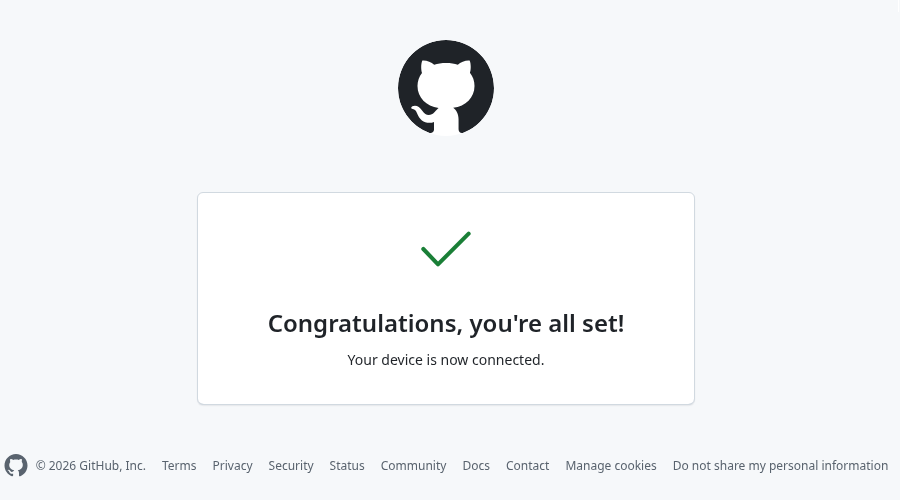
The message will appear: Congratulations, you're all set! Your device is now connected.
4- Create your fork via the Terminal:
$ gh repo fork void-linux/void-packages
5- Push the package update (if you can't do the following steps via the terminal, you can do them via your browser logged into GitHub by accessing your fork directly in the sidebar menu)
Via Terminal
Create an update branch:
$ git checkout -b google-chrome-update
Configure your identity:
$ git config --global user.email "your-email@example.com"
$ git config --global user.name "Your Username"
Commit following the Void rule:
$ git add srcpkgs/google-chrome/template
$ git commit -m "google-chrome: update to 146.0.7680.164."
Check if it points to your fork:
`$ git remote -v
origin https://github.com/your_github_username/void-packages (fetch)
origin https://github.com/your_github_username/void-packages (push)
upstream https://github.com (fetch)
upstream https://github.com (push)`
If it doesn't point to it, configure your fork as the destination:
`$ git remote set-url origin https://github.com/your_github_username /void_packages`
`$ git remote -v`
Push to your GitHub fork:
`$ git push origin google-chrome-update`
6- Open the Pull Request (Official Contribution):
`$ gh pr create --repo void-linux/void-packages --title "google-chrome: update to 146.0.7680.164."` --body "Updated google-chrome to the latest stable version. Tested on x86_64."
Creating pull request for buckminster:update-google-chrome into master in void-linux/void-packages
https://github.com/void-linux/void-packages/pull/59677
The number 59677 is your Pull Request code for future reference!
And congratulations!!!
If you've reached this stage, you've just become a contributor to Void Linux .
Your Pull Request (PR) has been successfully created and will be queued to be reviewed and added to the repositories by the system maintainers.
As soon as the Pull Request is accepted, your update will reach all Void Linux users worldwide.
https://voidlinux.org/
https://distrowatch.com/

Nenhum comentário:
Postar um comentário